
Building a website for your business is only the first step. Understanding website maintenance what is included helps you keep your site safe, fast, and helpful for your visitors. In this practical guide, we break down the standard tasks required to keep your digital presence running smoothly every day.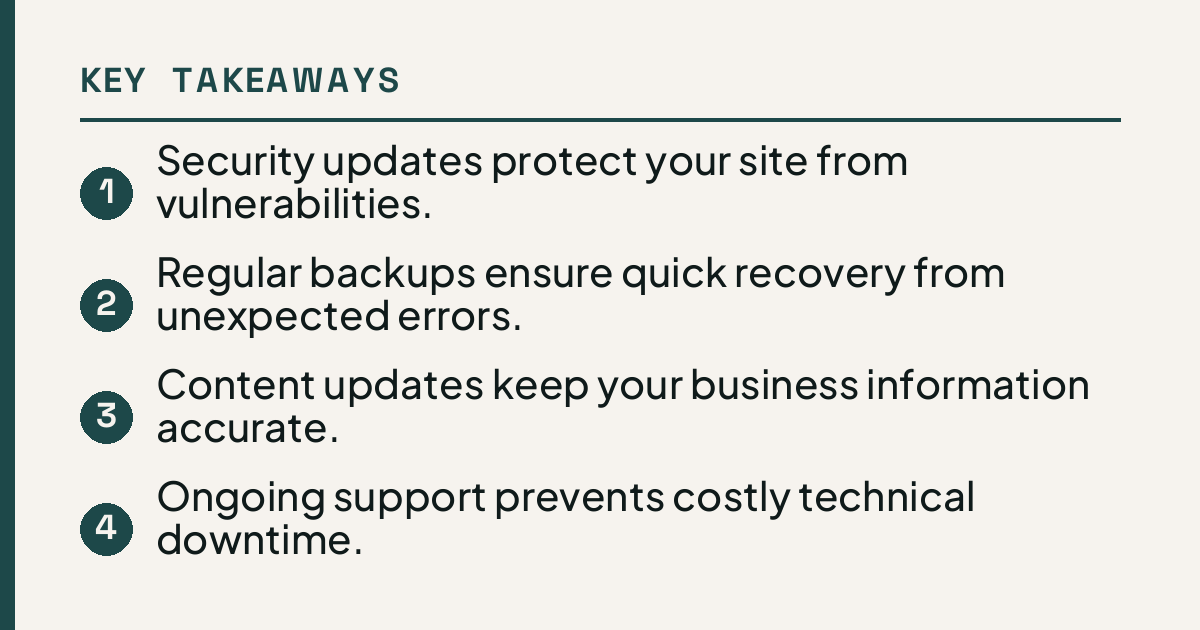
What Is Website Maintenance?
Website maintenance is the ongoing process of checking your site for technical issues, updating software, and keeping your content accurate. Just like servicing a commercial delivery vehicle, routine checks prevent minor technical glitches from turning into major breakdowns that disrupt your operations.
A typical website maintenance scope covers both front-end details and behind-the-scenes server care. Web browsers, server operating systems, and online security standards evolve constantly. When a website is left untouched for months, outdated code can cause pages to display incorrectly or stop working altogether on modern mobile devices.
Essential website support services usually cover three main areas:
- Core updates: Installing software and script updates so your site stays compatible with current web standards.
- Functionality checks: Testing contact forms, shopping carts, and navigation links to ensure customers can reach you.
- Database maintenance: Cleaning up unnecessary files, database spam, and temporary data to maintain site speed.
A common mistake is treating a website as a one-time project rather than an active tool. At ZheTech, we help businesses focus on long-term maintainability so their websites remain fast and simple to manage over time.
Core Services: What Is Included in Maintenance
Understanding website maintenance what is included in a standard support package helps you set clear expectations. Knowing what tasks are involved allows you to evaluate options fairly and avoid unexpected repair costs down the road. While exact offerings vary, a comprehensive website maintenance scope focuses on keeping your site secure, stable, and operational for your visitors.
The Essential Maintenance Checklist
A reliable service package covers several core technical tasks on a regular schedule:
- Website security updates: Applying core system patches, plugin updates, and security fixes to protect your site against known vulnerabilities.
- Regular website backups: Saving scheduled copies of your website files and database offsite so your business can recover quickly from an outage.
- Technical monitoring and bug fixes: Checking contact forms, fixing broken links, and resolving display errors across different mobile devices.
- Database health checks: Removing temporary files, spam entries, and database overhead to keep your pages loading efficiently.
- Small content updates: Changing contact details, updating operating hours, or editing text as your business changes.
A common mistake business owners make is assuming standard web hosting includes these services. Hosting keeps your server connected to the internet, but managing software health and security patches requires dedicated website support services.
At ZheTech, we provide website maintenance and technical support to help businesses keep their online presence secure, functional, and up to date.
Security Patches and regular Data Backups
Security patches and regular website backups form the core of effective protection for any online business. Without these basic steps, your website remains exposed to software bugs, security threats, and accidental data loss.
Why Website Security Updates Matter
Most business websites rely on content management systems, plugins, and server scripts. Developers frequently release website security updates to patch known security gaps. If you ignore these patches, automated scripts can find those weak points and insert malicious code or spam links into your pages.
The Purpose of Regular Website Backups
Even smooth software updates can occasionally cause layout glitches or plugin conflicts. Regular website backups act as your safety net. If a file breaks or a database error occurs, a recent backup allows you to restore normal operations without rebuilding your site from scratch.
Essential Security and Backup Checklist
Here is what should be covered in your routine checklist:
- Core and plugin updates: Testing and applying patches for all active software components.
- Automated offsite backups: Storing daily or weekly copies of your database and media files off the main server.
- Backup retention: Keeping several historical points so you can recover from quiet issues discovered later.
- Restoration checks: Verifying that saved backups can be safely restored when an emergency happens.
Leaving updates untouched for months is a common mistake that leads to avoidable downtime. If you prefer not to manage server settings and patch logs yourself, working with a reliable team like ZheTech keeps your site protected behind the scenes.
Performance Optimization and Content Updates
A secure website still needs regular care to run smoothly. Over time, new images, pages, and code updates can slow your site down. Keeping speed high and content accurate is an essential part of routine website support services.
Speed and Performance Cleanup
Slow loading times frustrate visitors, especially on mobile phones. Routine maintenance includes practical tasks that keep pages loading quickly. Key performance tasks include:
- Image compression: Resizing and formatting heavy images before or after upload.
- Database cleaning: Removing draft posts, old revisions, and spam comments that clutter your system.
- Cache management: Clearing outdated server caches so visitors always see the latest version.
Routine Content Updates
Your business evolves, and your website should reflect those changes. A realistic website maintenance scope often covers small, ongoing edits so you do not have to touch code yourself.
- Updating business hours, contact numbers, or office addresses.
- Adding new product listings, service details, or team photos.
- Fixing broken links or replacing outdated promotional banners.
Common Pitfalls to Avoid
A frequent mistake is uploading large photograph files directly from a phone. This quickly slows down page load times for mobile visitors. Another mistake is leaving outdated contact details on your contact page, which leads to lost customer enquiries.
At ZheTech, we help businesses keep their websites fast, updated, and clear for visitors through simple ongoing maintenance options.
What Happens When Website Maintenance Is Ignored?
Leaving a business site without regular care might seem harmless at first. However, small background issues quickly stack up over time. Knowing what website maintenance what is included helps you avoid costly emergency fixes down the road.
The Hidden Risks of Neglect
When routine upkeep stops, your site gradually becomes vulnerable and unstable. Here are the most frequent problems business owners face when maintenance is overlooked:
- Security Breaches: Outdated core files and software components leave open doors for malware and automated security attacks.
- Broken Functions: Unchecked software updates often conflict with each other, causing contact forms, checkout steps, or booking systems to stop working.
- Permanent Data Loss: If a site crashes or gets corrupted without recent backups, restoring your content or order records becomes difficult.
- Loss of Customer Trust: Visitors leave quickly when they encounter error messages, broken layouts, or outdated information on their mobile screens.
A common headache occurs when business owners lose contact with their original developer. When a sudden crash happens, nobody is available to step in and fix the issue promptly.
At ZheTech, we help businesses avoid these disruptions by keeping sites updated and providing predictable support options. Taking small, preventative steps keeps your daily digital operations running smoothly.
Finding the Right Support Options for Your Business
Choosing the right support plan depends on how heavily your daily operations rely on your site. A simple corporate page needs different care compared to an active online store or a custom web app.
How to Choose the Right Support Scope
When reviewing providers, evaluate these key areas to understand what is included in website maintenance and ensure it covers your actual needs:
- Update Frequency: Ensure routine security updates and software patches happen regularly.
- Backup Schedule: Confirm whether backups are stored offsite and how quickly a full restoration can be done.
- Response Time: Check how fast your provider responds when a critical issue or downtime occurs.
- Content Edits: Look for options that include minor monthly text and visual updates.
Steps to Take Next
To prevent unexpected site failures or security issues, take these practical steps:
- Audit your site to see when plugins and core software were last updated.
- Confirm that you have full admin access to your domain and hosting account.
- Decide if your internal team has the time to perform updates safely.
If maintaining your site internally takes too much time away from growing your business, working with a reliable technical partner is a sensible choice. For example, ZheTech provides structured website maintenance and ongoing technical support to keep business websites safe, functional, and up to date.
Frequently asked questions
How often does a website need maintenance?
Security updates and backups should happen on a regular schedule, such as weekly or monthly. Small content updates can be done whenever your business details change. Regular upkeep prevents sudden site downtime and keeps your pages safe.
Can I handle website maintenance on my own?
Business owners can handle basic text and image updates if using a simple dashboard. However, technical tasks like security patches, database cleanup, and core updates require technical knowledge to avoid breaking pages. Working with an agency like ZheTech keeps your site updated while you focus on running your business.
What happens if I skip regular backups?
If your server encounters a failure or a security issue, an outdated backup means losing recent customer enquiries and order records. Having fresh backups ensures your website can be restored quickly. ZheTech offers ongoing website maintenance to help protect your data.
Does website maintenance improve website speed?
Yes, clearing database clutter, removing unused files, and updating core scripts help your pages load smoothly. Fast-loading pages make it much easier for visitors to browse your products and services on mobile devices.
📞 Contact us for a free quote today! 018 - 397 9688
👉 Book a 30 minute free consultation 👇
WhatsApp us:
🔗 https://wa.link/1od7c2
🔗 https://wa.link/1od7c2
🔗 https://wa.link/1od7c2
Visit us at:
🔗 https://zhetech.my